Customer Insight Tools: What They Are, Benefits, How to Choose, and 10 Tools To Help You Understand Your Audience Faster


Quick Summary
Customer insight tools are critical to understanding what customers think, feel, want, and do. This guide compares the 10 best platforms in 2026, including Tracksuit, GWI, and Qualtrics. We also discuss the benefits of using these tools and key metrics that any good customer insight tool must measure.
Why Marketers Often Pick the Wrong Insight Tool
To understand what customers really think about their brand, many marketing teams rely on customer insight tools.
The challenge?
That term covers a wide range of products that do very different jobs. Brand trackers, social listening platforms, and heatmaps often get grouped together, even though they answer different questions.
This guide breaks down 10 of the best customer insight tools, what they actually measure, and who they’re best for.
Why Listen to Us?
At Tracksuit, we’ve reimagined brand tracking to make it simple, actionable, and affordable for modern marketers.

Our dashboard-first platform surveys thousands of real humans every day to understand how they think and feel about brands. That experience shapes the insights we share in this guide.
What Are Customer Insight Tools?
Customer insight tools are platforms that help you understand what your customers (and potential customers) think, feel, want, and do. They collect signals from brand surveys, website activity, social conversations, and audience data, then organize that information so teams can analyze it and act on it.
They usually fall into two groups: behavior tools and perception tools. Behavioral tools track what customers do, such as where they click in an app, how they navigate a site, and where they drop off.
Perception tools, on the other hand, focus on how they think and feel. Are they aware of your brand? If they are, what do they associate with it, and why are they likely (or not likely) to buy?
A strong customer insight tool should cover behavior and perception data. When used together, they give teams a clearer view of their customers and how their brand performs.
Benefits of Customer Insights Tools
Customer insight tools help teams move marketing decisions away from assumptions and toward real evidence. Here are four key benefits of relying on them to understand your audience:
- Improved Decision Making: With customer insight data, teams can see how people interact with their product, website, or campaigns and why they behave that way. This makes it easier to understand what is working, what needs to change, and where to focus future efforts
- Clearer Understanding of Brand Perception: Customer insight tools reveal how customers view your brand in the market. Teams can measure awareness, associations, and purchase consideration to assess how well their brand is performing
Stronger Marketing Strategies: Customer insight data shows which audiences respond to certain messages or campaigns. This information can be used to refine positioning and adjust messaging to create strategies that actually resonate with them
The 10 Best Customer Insight Tools for Marketing Teams in 2026
1. Tracksuit
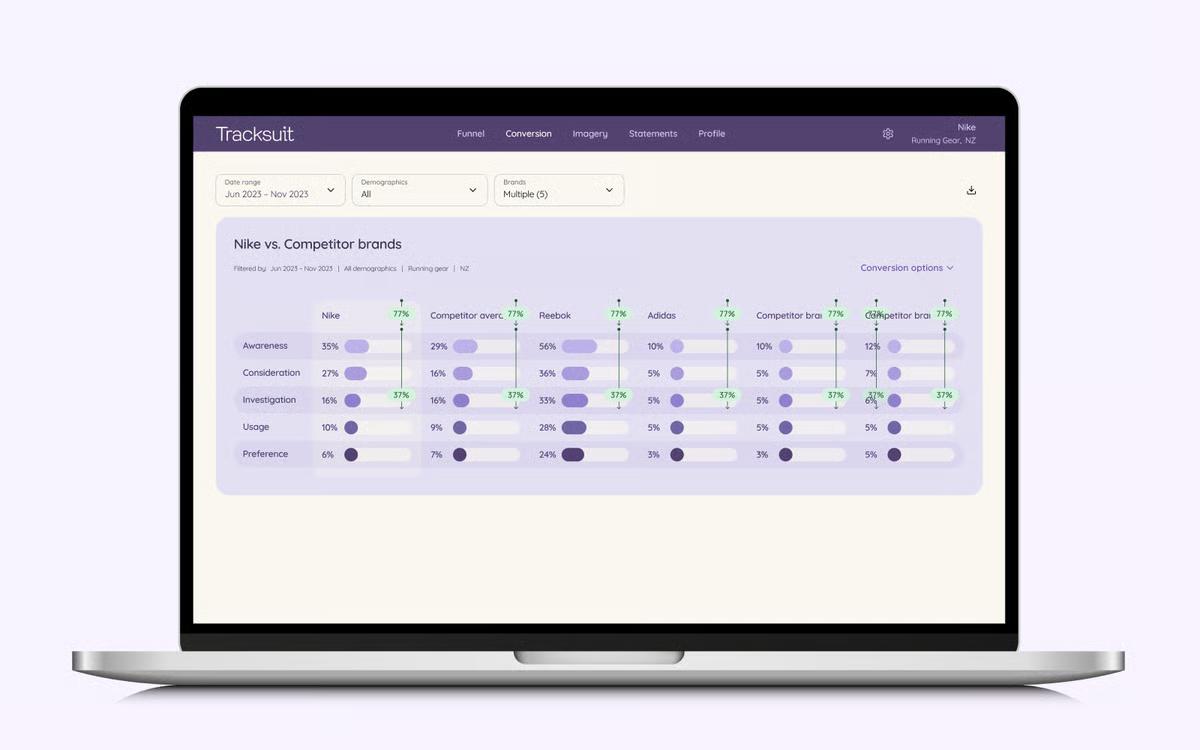
The first tool on our list is Tracksuit. It’s an always-on brand tracking platform that measures how people across your category actually view your brand. Through continuous, census-weighted surveys, it measures key metrics like awareness, consideration, usage, and preference.
Tracksuit stands out because it makes brand tracking faster, simpler, and more accessible. It launches in 30 days and costs far less than legacy tools. Results are presented in a clear dashboard, so marketers can track brand performance, show ROI, and answer the fundamental question: do people in your category actually see your brand, and would they buy you?
Key features
- Brand Funnel Tracking: Tracks a 5-stage brand funnel (awareness, consideration, investigation, usage, preference) with monthly updates, so you can watch how perceptions shift over time
- Perception Measurement: Uses Imagery (spontaneous brand associations) and Statements (attribute ratings) to measure brand perceptions at scale
- Competitor Benchmarks: Compares your brand against competitors in your category, helping you understand your position relative to the market
- AI-Generated Insights: Coach’s Notes surface what's changing in your data and why, so you spend less time trying to interpret charts
- Audience Segmentation: Breaks results down by demographics, geography, and target audiences to show where your brand is strong and where it needs work
- Shared Dashboard Access: Unlimited seats allow marketing teams, agencies, and leadership to explore the same data and stay aligned
Pricing
Plans start at $19,500 per year. This includes tracking for one brand category, your brand plus five competitors, and surveys of 4,000+ consumers. Add-ons are available if you want to track more competitors, expand into additional markets, or measure more brand perception statements.
Best for
Consumer brand marketing teams that need to measure brand perception, prove the impact of brand building, and track competitive positioning over time.
Pros
- Always-on brand tracking for up-to-date and actionable insights
- Gives teams clear visibility into brand health and performance over time
- Fast setup allowing for quick insights into market position, key competitors, and audience data
- Highly responsive customer support team
- Affordable for small businesses or teams with tight budgets
- Intuitive platform with easy-to-use dashboards
Cons
- Designed for consumer brands, so less applicable for B2B companies
2. GWI
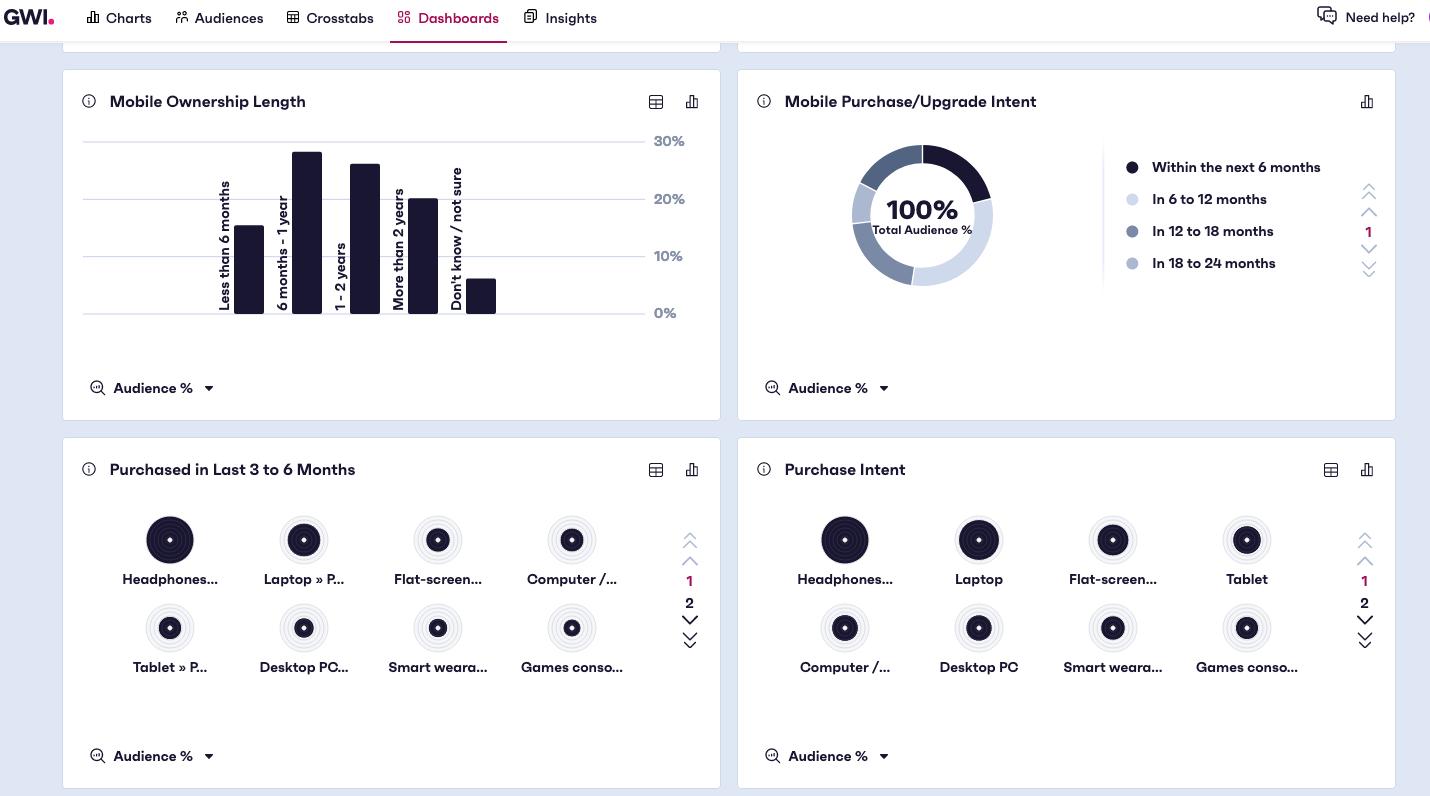
GWI is a global consumer intelligence platform that helps brands understand their audiences through demographics, psychographics, behaviors, and attitudes across multiple markets. It offers deeper audience research and broader data coverage than many tools on this list, but that depth also brings more complexity and a higher price point.
Key features
- Global Consumer Panels: Teams can access large consumer panels in multiple markets to explore insights into niche audience segments and geographies
- Audience Profiling: Analyze attitudes, interests, media consumption, and purchase behavior alongside traditional demographic data to understand how audiences think and act
- Custom Surveys: Allows teams to run custom surveys when they need insights beyond the standard panel data
Pricing
GWI does not publish pricing publicly. Plans are subscription-based and customized based on the markets, audiences, and features you need.
Best for
Brands and media teams that need global audience insight.
Pros
- Instant insights so users can find relevant data quickly
- Drag-and-drop audience building for flexible analysis
- Easy-to-use interface
- Strong customer support during onboarding
Cons
- AI-generated summaries and insights need improvement
- Sample sizes can be limited in some countries other than the US
- Data exports can be cumbersome when working with large datasets
Survey and research platforms
3. Qualtrics
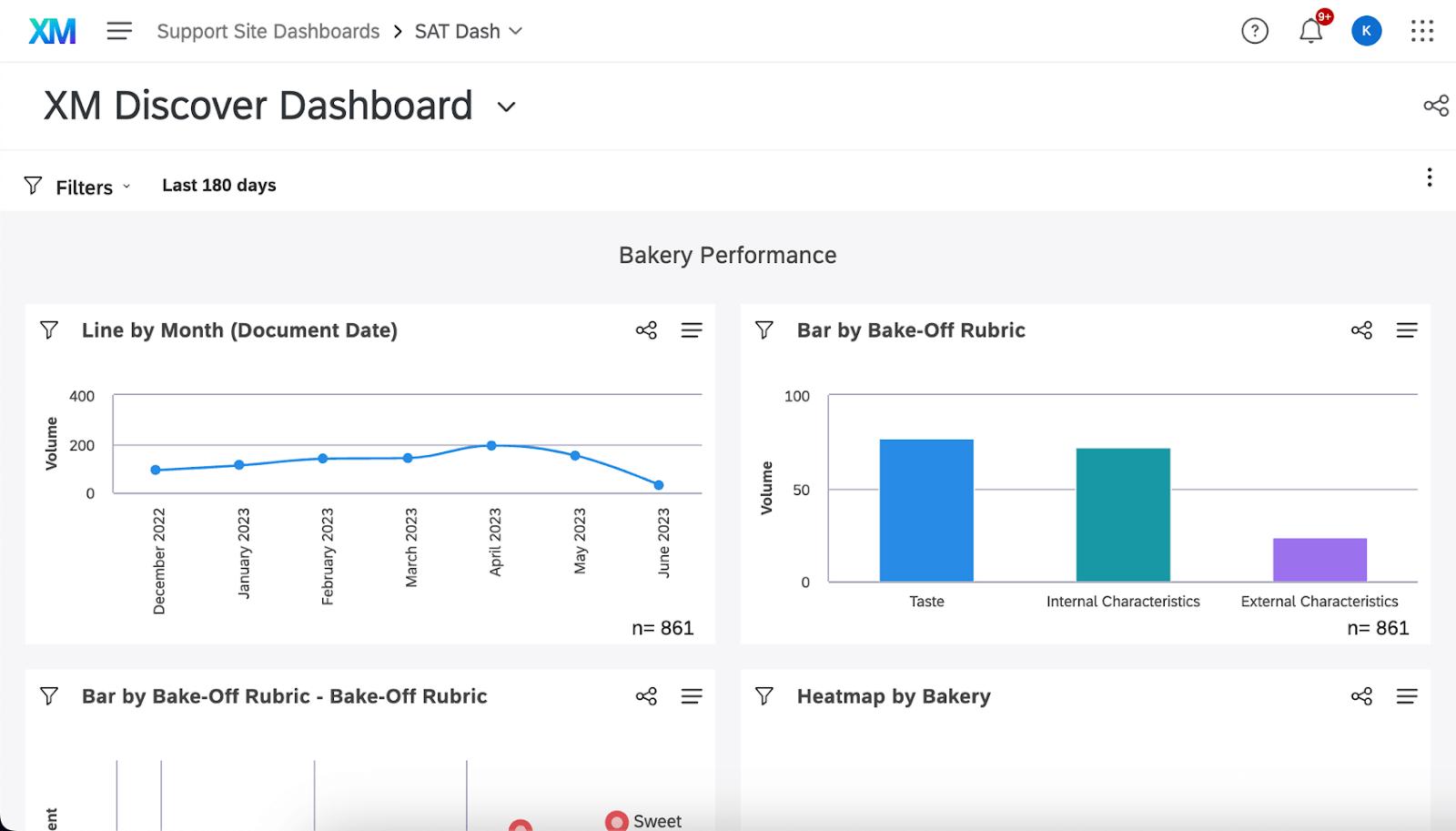
Qualtrics is a popular customer insight platform with enterprise-grade survey tools and specialized modules for brand tracking, product research, and customer experience. It's flexible, allowing enterprise research and insights teams to build anything from simple NPS surveys to fully custom brand tracking programs.
That flexibility is also its main tradeoff. It can require significant expertise to set up and manage. If brand tracking is the main goal, a purpose-built tool like Tracksuit can be faster to launch and easier to use. Qualtrics is better suited when you need a platform that handles a wide range of research.
Key features
- Advanced Survey Builder: Create complex surveys using logic, branching, and a wide range of question types suited for detailed research design
- Experience Management Modules: Use specialized tools like CustomerXM to offer insights beyond basic surveys
- Built-In Analytics: Includes statistical analysis, text analytics, and AI-assisted insights to help teams interpret survey data
Pricing
Enterprise pricing with custom quotes, which can make the full platform expensive for smaller teams.
Best for
Enterprise insights, research, and CX teams running multiple types of customer research.
Pros
- Powerful platform for collecting and analyzing customer feedback at scale
- Highly customizable dashboards for different stakeholders
- Clear layout and dashboards that make insights easier to interpret
- Combines multiple data sources into one platform
Cons
- Expensive compared to lighter survey tools
- Steep learning curve due to the breadth of features
- Can be overkill for simple survey use cases
4. SurveyMonkey
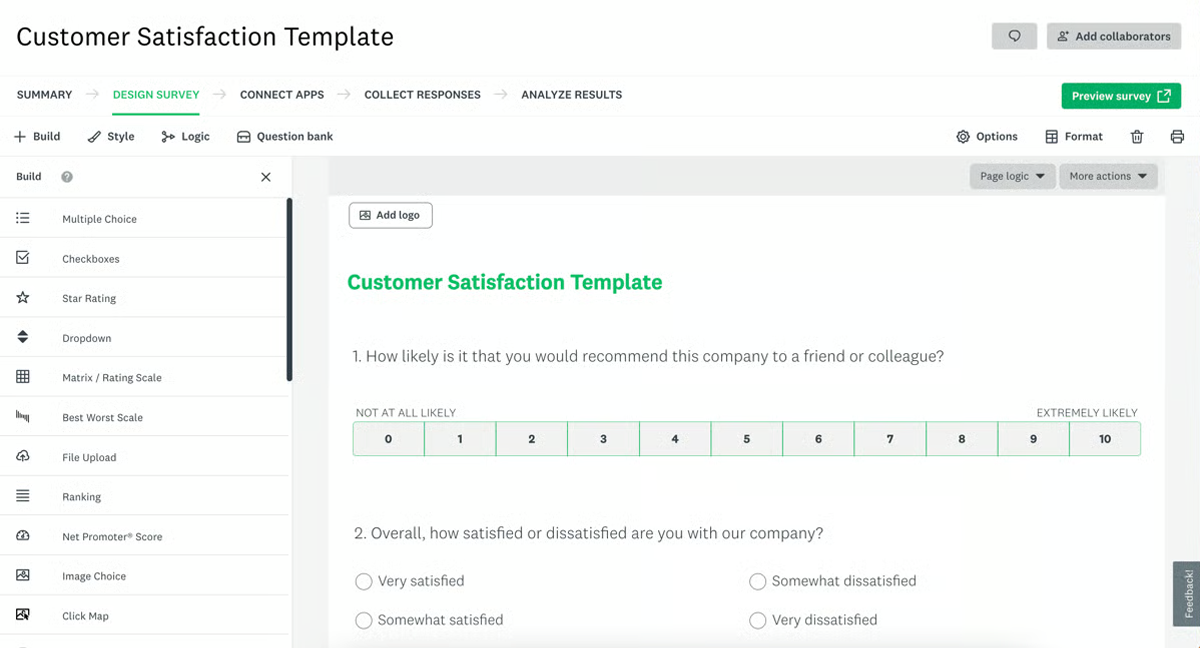
SurveyMonkey is a DIY survey platform. It simplifies the process of creating surveys, collecting responses, and analyzing results.
SurveyMonkey is great for quick, ad-hoc research, but often falls short for teams that need structured brand tracking. Because surveys are built from scratch each time, it’s difficult to maintain the consistent methodology required to track trends reliably over time.
Key features
- Flexible Survey Design: Create surveys with templates, branching logic, and a wide range of question types for structured research
- Respondent Panel: Reach targeted audiences outside your customer base using SurveyMonkey Audience, a built-in respondent panel
- Native Reporting and Integrations: Analyze responses with filtering and cross-tabs, and sync survey data with tools like HubSpot, Salesforce, and Mailchimp
Pricing
SurveyMonkey has three plans for teams: the Team Advantage (which costs $25/user/month), Team Premier (for $75/user/month), and the Enterprise (with custom pricing). A free plan is also available but with limited features.
Best for
Marketing and product teams who want to run quick and affordable surveys.
Pros
- Easy to create, share, and analyze surveys without technical expertise
- Integrations with tools like Salesforce, Slack, Microsoft Teams, and Google Sheets
- Real-time response tracking as survey results come in
- User-friendly interface for quick and straightforward survey creation
Cons
- Many advanced features are locked behind higher-tier plans
- Some CRM integrations can feel clunky
- Complex survey logic can be difficult to configure
5. Brandwatch
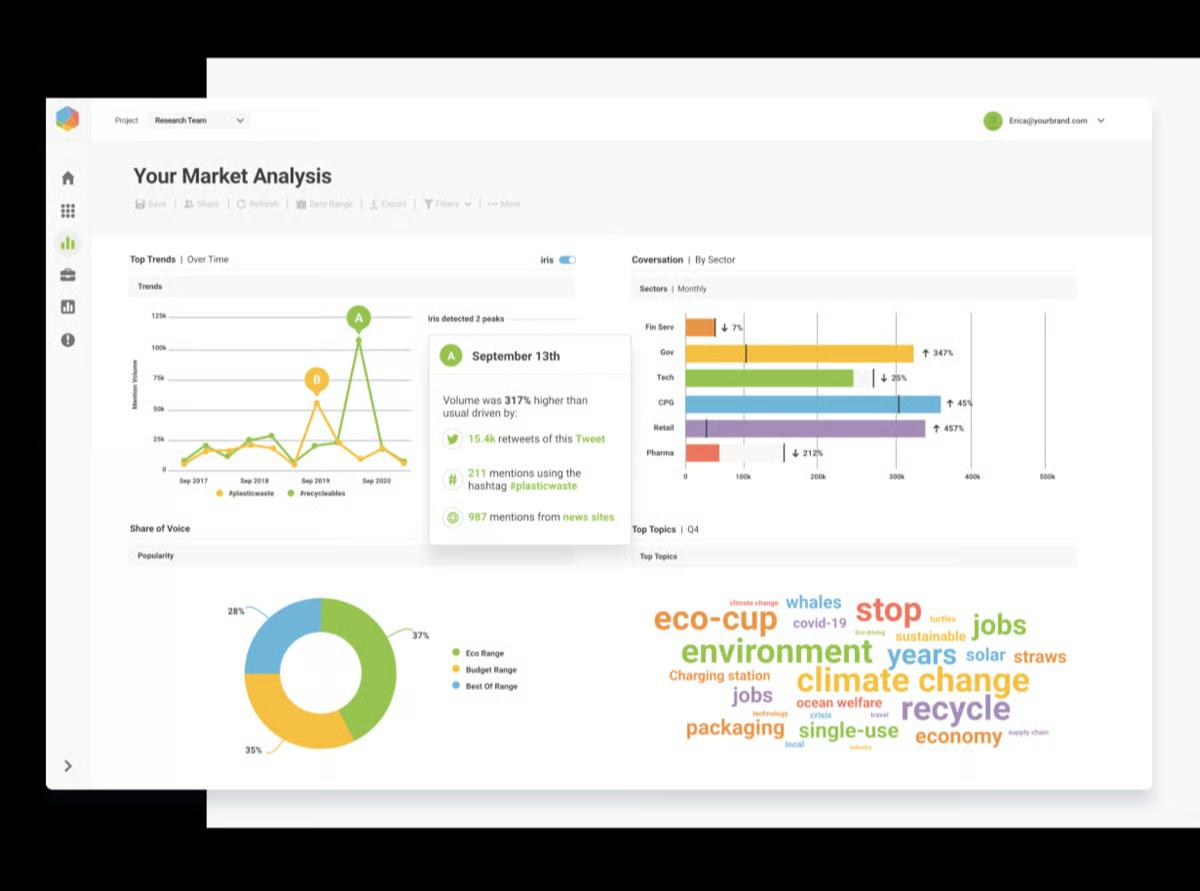
Brandwatch is a social listening and consumer intelligence platform that monitors what people are saying about your brand, competitors, and category across various platforms. It's used to understand unprompted conversations happening about you, but works best when paired with survey-based tools that capture the customers that aren’t online.
Key features
- Real-Time Brand Monitoring: Track brand mentions, competitor activity, and category conversations across social media, news, forums, and review sites
- Sentiment Analysis: Categorize conversations as positive, negative, or neutral and monitor how that sentiment changes over time
- Audience Insights: See who is talking about your brand, including their demographics, interests, and influence
Pricing
Custom-quoted based on data volume and features.
Best for
PR teams monitoring online conversations, sentiment, and emerging trends or crises.
Pros
- Strong segmentation and sentiment analysis
- Responsive support and training teams
- Reliable platform used for long-term monitoring and insights
- Strong reporting capabilities for communicating insights to stakeholders
Cons
- Some analysis requires manual query optimization for accuracy
- Inaccurate location filtering and geolocation
- Filtering noise from large datasets can take time
6. Hotjar
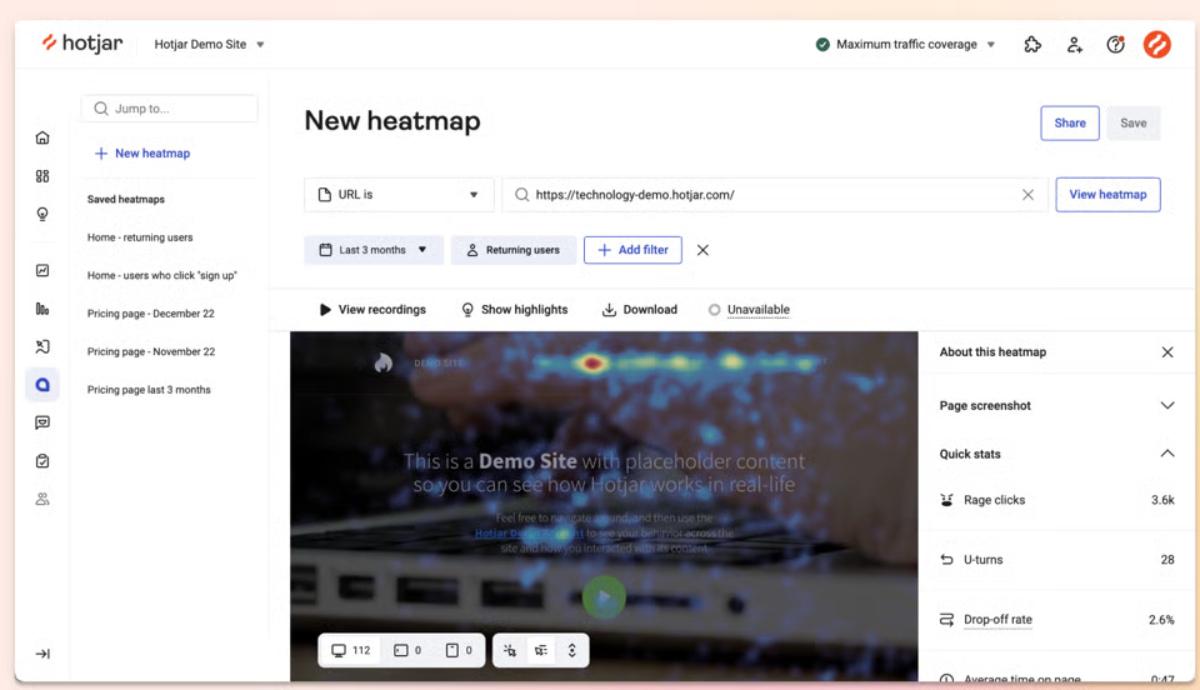
Hotjar is a behavior analytics and user feedback platform that shows you what website visitors are doing and why. It combines visual tools like heatmaps and session recordings with feedback collection.
Hotjar is excellent for understanding the website experience: what's working, what's confusing, and where people leave. But its scope is limited to people who already visit your site. It can't tell you about the people who've never heard of you or why someone chose a competitor instead.
Key Features
- Website Heatmaps: Visualize where users click, scroll, and engage on your pages to identify UX friction and content performance
- Conversion Funnels: Track how users move through key pages and identify where they drop off in the journey
- Session Recordings: Replay individual user sessions to see how visitors navigate and interact with your site
Pricing
Hotjar has a freemium tier for basic use, while paid plans start at $49/month. Enterprise plans are also available for larger teams and high-traffic websites.
Best For
UX and digital marketing teams focused on improving website experience and conversion.
Pros
- User-friendly and easy to install
- Helps diagnose UX friction and conversion drop-offs
- Works across devices and platforms, including mobile and desktop
- Visual data provides qualitative insights beyond numbers
Cons
- Advanced features require more technical or research skills
- Analyzing large volumes of session data can be time-consuming
- Costs increase as website traffic grows
7. Mixpanel
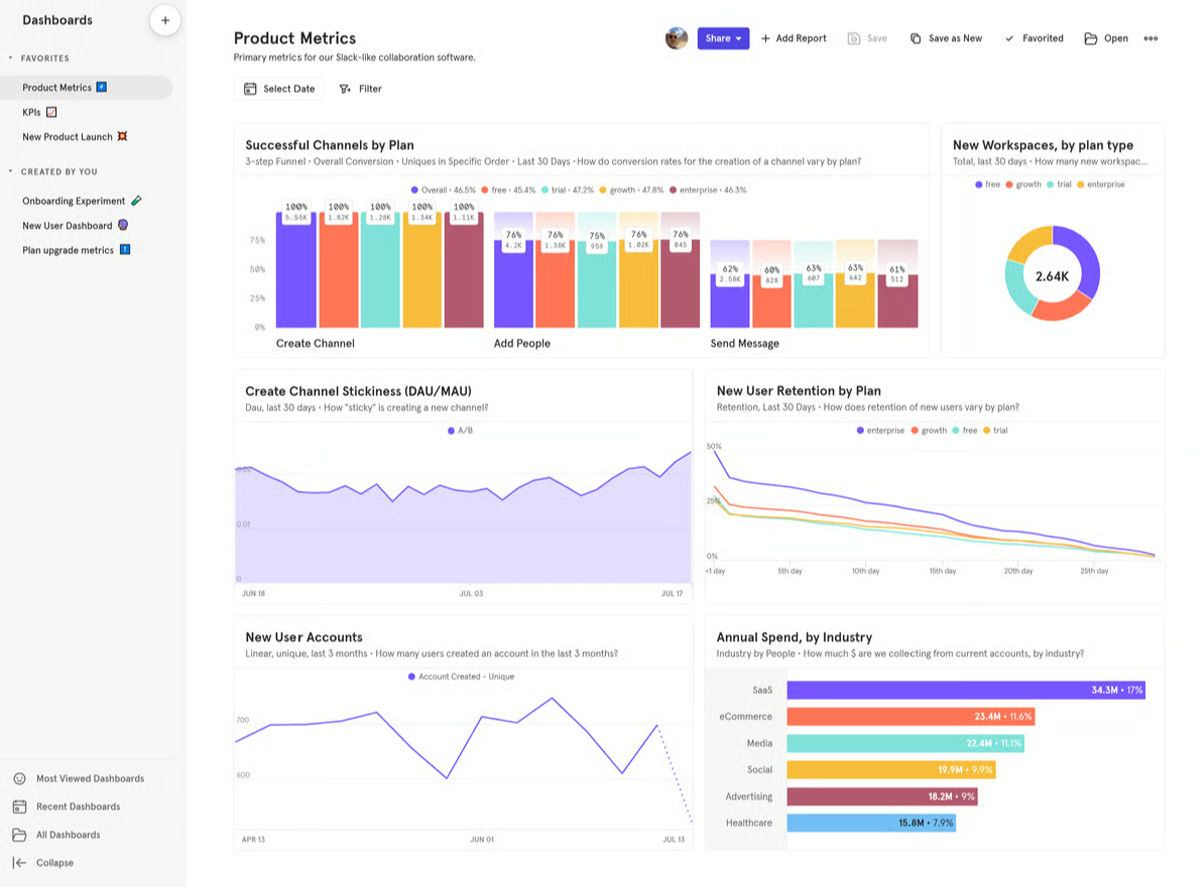
Mixpanel is a product analytics platform designed to track user behavior inside web and mobile applications. Rather than focusing on pageviews alone, it analyzes event-level data, cohorts, and retention so product and growth teams can understand how people actually use a product.
Mixpanel is powerful for understanding in-product behavior and answering product-specific questions across different use cases. However, it is narrower than most customer insights tools because it only analyzes people who are already using your product.
Key Features
- Event-Based Tracking: Define and analyze specific user interactions such as button clicks, feature usage, and completed workflows
- Funnel Analysis: Identify where users drop off across key product workflows
- Cohort and Retention Insights: Understand how different groups of users behave and return to your product over time
Pricing
Mixpanel offers a free plan with up to 1 million monthly tracked events, along with Growth and Enterprise plans priced based on event volume and required features.
Best For
Product and growth teams tracking user behavior, retention, and engagement within apps.
Pros
- Provides clear and detailed event-based analytics
- Charts and dashboards are easy to read, even for non-experts
- Flexible filtering and segmentation by events, cohorts, and other properties
- Strong funnel analysis
Cons
- Long load times when working with large datasets
- Historical analysis can be limited depending on the plan
- Advanced analyses and experiment setups can be difficult to implement
8. SparkToro
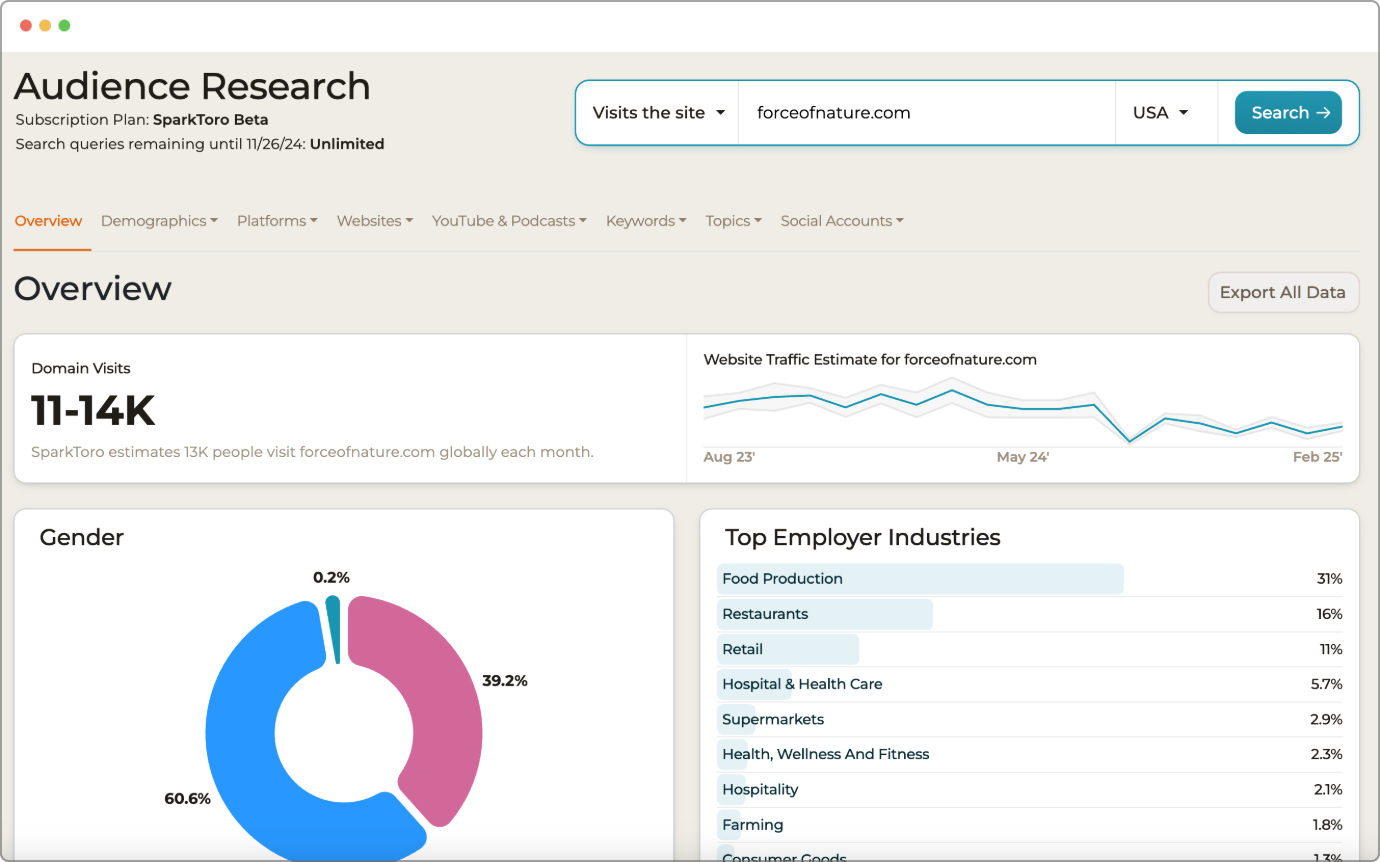
SparkToro is an audience intelligence platform that reveals where a target audience spends time outside a company’s owned channels. It highlights the websites people visit, the accounts they follow, and the topics they engage with. This makes it useful for media planning, marketing strategy, and partnership decisions.
Key Features
- Audience Discovery: See the media, social accounts, websites, podcasts, and publications a target audience regularly engages with
- Flexible Search Filters: Search audiences by keyword, hashtag, social account, or website to uncover overlap and behavioral patterns
- Demographic insights: View demographic and behavioral data for defined audience segments
Pricing
SparkToro offers a free plan with limited functionality. Paid plans include Personal ($38/month for 50 searches), Business ($112/month for 500 searches and up to 10 users), and Agency ($225/month with unlimited searches and up to 100 users).
Best For
Brand, content, and media teams who need to understand where their audience pays attention so they can show up in the right places.
Pros
- Intuitive interface that is easy to use
- Makes it easy to identify target audiences, influencers, and creators
- Flexible plans for different business sizes
- Helps improve targeting for Google Ads, social media, and content marketing
Cons
- Limited integrations with other tools
- Data for low-volume or niche industries is often less reliable
- Limited coverage for European and non-US audiences
9. Dovetail
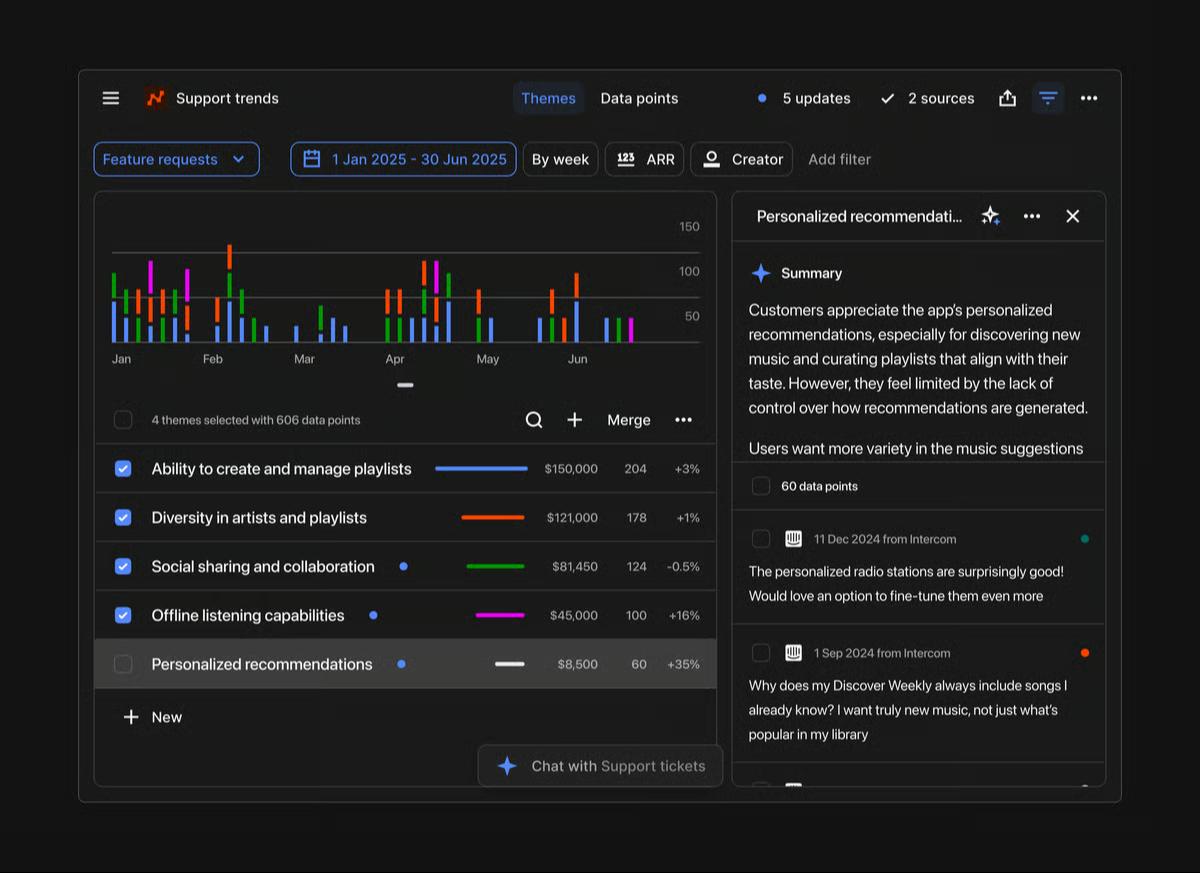
Dovetail is a qualitative research platform that helps teams organize and analyze insights from customer interviews, usability tests, surveys, and focus groups. It's strongest when paired with quantitative research methods that generate rich, unstructured feedback.
Key Features
- Qualitative Data Tagging: Tag and code transcripts, notes, and survey responses to identify themes across research
- Collaborative Workspace: Allows teams to annotate, discuss, and share findings in one place
- Searchable Insights Repository: Stores research in a central, searchable library so insights are not lost in spreadsheets or slide decks
Pricing
A free plan is available for individuals, while interested organizations have to contact sales for a quote.
Best For
Research, UX, and insights teams managing qualitative feedback from multiple sources.
Pros
- Uses AI for quick and automated customer insights
- Analysis features make it easy to collaborate, tag, and discuss findings across teams
- Integrates with tools like Zoom, Google Suite, Intercom, and Slack
- Intuitive platform
Cons
- AI chat insights still have room to improve in accuracy
- Canvas functionality is limited when adding data
- Organizing projects and files can become difficult with multiple teams
10. UserTesting
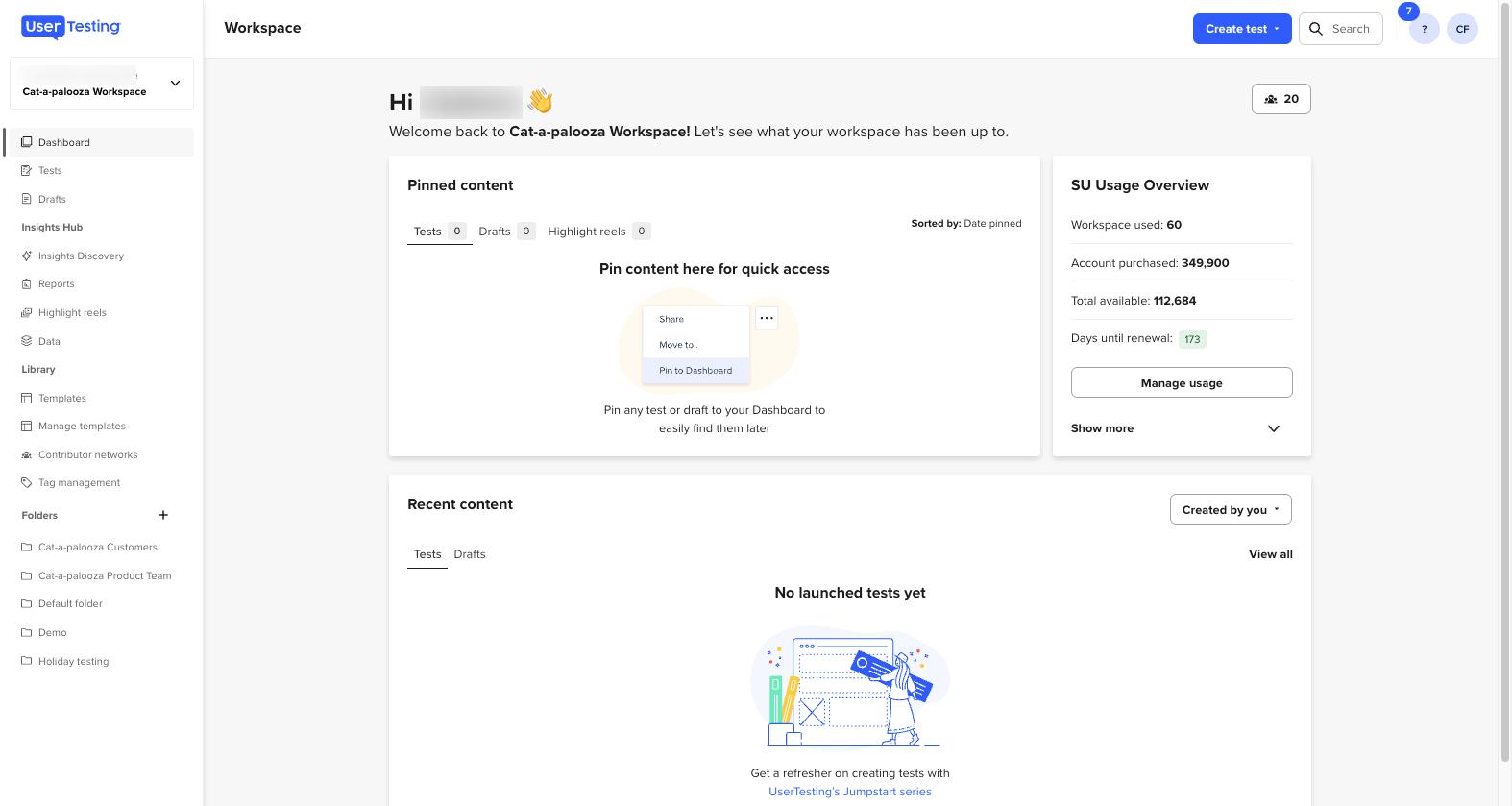
UserTesting is a video-based customer insight platform that lets you watch and listen to people as they interact with your business. It delivers qualitative insight in its most direct form but usually with small sample sizes.
UserTesting tells you why customers are acting a certain way. It pairs well with quantitative tools like brand trackers or web analytics that tell you what's happening.
Key Features
- Video-Based Testing: Participants walk through a product, website, or marketing experience while narrating their thoughts and reactions
- Recruitment Panel: Provides access to a large pool of testers so studies can run without sourcing participants independently
- Multi-Testing Options: Supports both moderated (live conversation) and unmoderated (self-guided tests), depending on the research setup
Pricing
Enterprise pricing, custom-quoted. Plans vary by test volume and panel access.
Best For
Product, UX, and marketing teams who want direct, video-based feedback from real customers on products, prototypes, messaging, and experiences.
Pros
- Helps teams identify usability issues, friction points, and user preferences before launch
- Provides access to global participants across different demographics
- Video and audio recordings provide deeper and more genuine qualitative insights
- Removes guesswork from product and design decisions
Cons
- Can become expensive when running frequent tests or large studies
- Limited in-app coding and quote management features
- Extracting deep insights still requires manual analysis
What Key Metrics Should Your Customer Insight Tool Measure?
The best customer insight tools measure several types of insight. Here are six metrics the most effective platforms consistently track:
1. Brand Perception
An effective customer insight solution should measure how the market sees your brand. Look for platforms that track awareness, consideration, preference, and brand associations through structured consumer surveys.
Tracksuit specializes in this type of ongoing measurement. It gives teams a consistent view of brand perception, including among people who are not yet customers.
2. Direct Customer Feedback
The best customer insight tools make it easy to collect feedback directly from customers. This could either be surveys or open–ended sessions like interviews.
Surveys are quite useful for measuring satisfaction, testing messaging, or getting reactions to new ideas, products, or campaigns. Interviews, usability sessions, and open-ended responses add context by showing the motivations and frustrations behind the numbers. easy to collect and analyze feedback directly from customers.
3. Public Sentiment and Online Conversations
Social listening is key to customer insights. For leading brands, they work to understand how people talk about your brand online, which can reveal reputation shifts and emerging topics. Any tool you choose should monitor social media, forums, news sites, and reviews to help teams track sentiment and identify patterns in unprompted conversations.
4. Customer Behavior on Digital Products
Behavioral analytics tools help businesses understand what people actually do on a website or inside a product. Look for tools that track interactions such as clicks, navigation paths, feature usage, and drop-off points in key workflows.
5. Audience Attention and Engagement Patterns
Customer insight platforms should also reveal where your target audience spends time online. This includes the media they consume, the creators they follow, and the communities they engage with. These insights are useful for media planning, partnerships, and content strategy.
Wrapping Up: Fill Brand Insight Gaps With Tracksuit
Most teams already track what users do or say when asked with occasional surveys. The harder question is how the broader market sees the brand.
Understanding whether people in your category know you, would consider you, and prefer you over competitors is essential for measuring long-term marketing impact. Tracksuit makes it easy to fill this gap. Its always-on brand tracking launches in 30 days, updates monthly, and costs a fraction of legacy research tools.
Want to see what your customers really think about your brand? Request a demo of Tracksuit today.


